Custom API Language Models
Integrate a Custom API Language Model: point DynamoEval at your REST endpoint, configure auth, and map payloads with JSONata when your contract differs from DynamoEval's standard formats.
Read Custom Systems Overview first for why Custom Applications exist and how adaptation works. Confirm your endpoint against Custom API Language Model Requirements. This page covers formats, auth UI, and SDK examples.
Integration path
- Meet the requirements (REST JSON
POST, fixed schema, auth, reachability, sample request/response). - If the API only streams (SSE), put a REST aggregation proxy in front—see Bridging Streaming APIs Behind a REST Proxy—then register the proxy URL here.
- Decide whether your API already matches DynamoEval's request/response formats:
- Yes → register the endpoint (and auth) with no transforms.
- No → write JSONata request and/or response expressions using a sample
curlor OpenAPI schema.
- Create the Custom API Language Model in the UI or with
create_custom_model(examples below).
Request/response format specification
DynamoEval always speaks these shapes on its side of the adapter. Your API may use different fields; JSONata maps between them.
Request format
DynamoEval supports single-turn and multi-turn conversation formats.
Single-turn request
{
  "messages": [
    [
      {
        "role": "user",
        "content": "What is machine learning?"
      }
    ],
    [
      {
        "role": "user",
        "content": "Explain neural networks"
      }
    ]
  ],
  "N": 1,
  "seq_len": 1024,
  "temperature": 1
}
| Field | Description |
|---|---|
messages | Array of conversation turns; each turn is a list of message objects. |
role | For single-turn requests, must be "user". |
content | Message text. |
N | Number of responses to generate (minimum: 1). |
seq_len | Maximum sequence length for generation. |
temperature | Sampling temperature between 0 and 2. |
Multi-turn request
{
  "messages": [
    [
      {
        "role": "system",
        "content": "You are a helpful AI assistant"
      },
      {
        "role": "user",
        "content": "What is machine learning?"
      },
      {
        "role": "assistant",
        "content": "Machine learning is..."
      },
      {
        "role": "user",
        "content": "Can you explain neural networks?"
      }
    ]
  ],
  "N": 1,
  "seq_len": 1024,
  "temperature": 1
}
Multi-turn supports roles "system", "user", and "assistant", including conversation history and system prompts. Set multi_turn_support=True when creating the model if your endpoint can use that history.
Response format
Your endpoint must return one of these shapes natively, or after a response JSONata transform.
String responses (typical LLMs)
[
  "This is the first generated response",
  "This is the second generated response"
]
Boolean responses (guardrail models)
[
  false,
  true
]
Available authentication modes
Configure auth in the Connect AI System UI (or via remote_api_auth_config in the SDK). Modes match the overview.
No Authentication
No credentials are required.

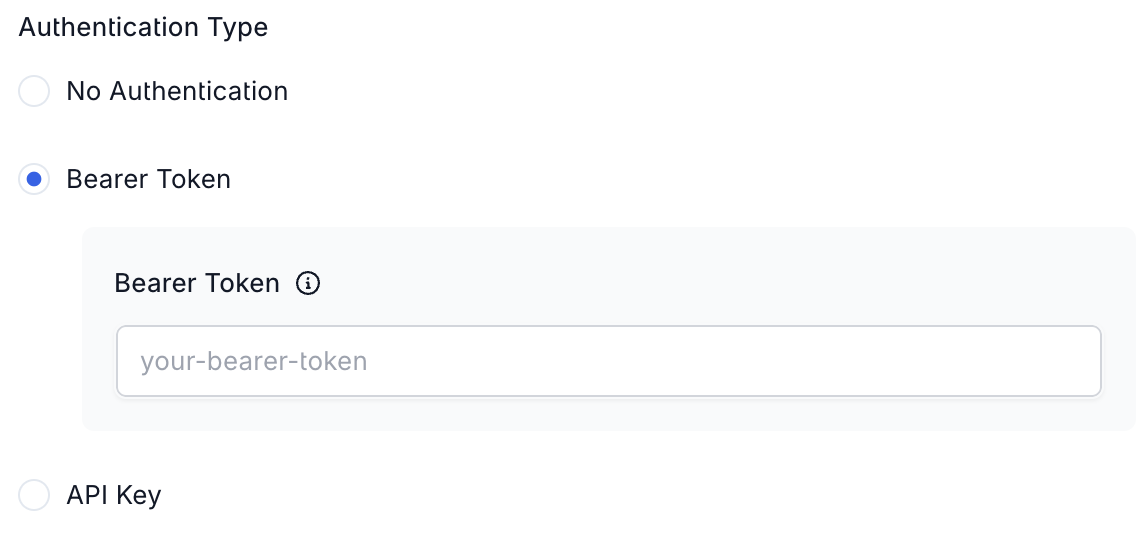
Bearer Token
Sends Authorization: Bearer <token>.
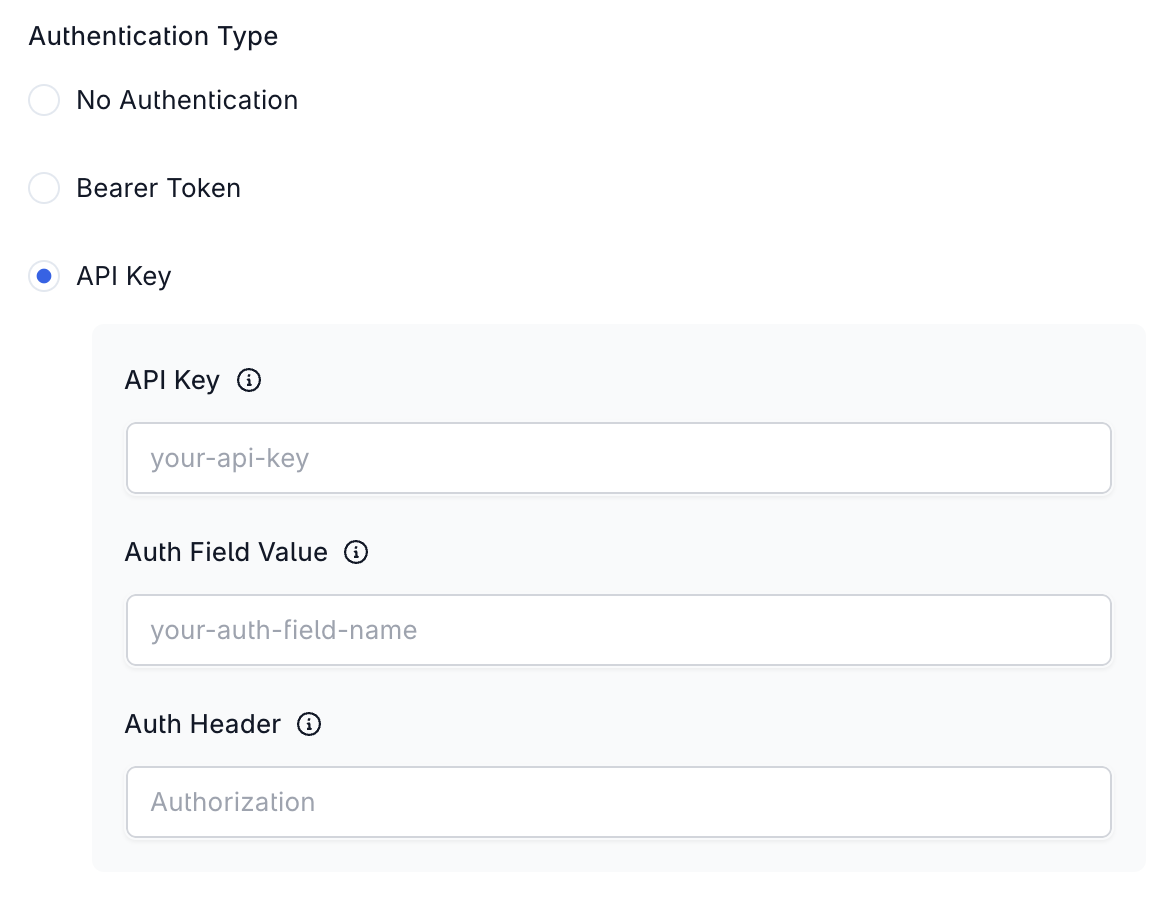
API Key
Full control over how the credential is sent in headers:
| Field | Description |
|---|---|
| Auth Header | Header name (e.g. Authorization, X-API-Key). |
| Auth Field Value | Optional scheme prefix (e.g. Bearer, Basic, Token). Leave empty for a bare key. |
| API Key | The credential value. |
Resulting header: {Auth Header}: {Auth Field Value} {API Key}. If Auth Field Value is empty: {Auth Header}: {API Key}.
With Auth Field Value
- Auth Header:
x-api-key - Auth Field Value:
Bearer - API Key:
ab-ch-ah
{"x-api-key": "Bearer ab-ch-ah"}
Without Auth Field Value
- Auth Header:
x-api-key - Auth Field Value: (empty)
- API Key:
ab-ch-ah
{"x-api-key": "ab-ch-ah"}
Microsoft Entra Workload Identity
For an endpoint that accepts Microsoft Entra ID access tokens, such as Azure AI Foundry or Azure OpenAI behind Azure API Management. DynamoEval requests a token for each call and refreshes it before it expires, so no token is stored on the AI system and evaluations of any length keep authenticating. The option appears only when your deployment enables it; see Microsoft Entra Workload Identity.
| Field | Description |
|---|---|
| Azure Scope | Scope the token is requested for. Defaults to https://cognitiveservices.azure.com/.default; an API registered in Microsoft Entra ID uses api://<application-id>/.default. |
| APIM Subscription Key | Optional. Sent as ocp-apim-subscription-key when the endpoint is behind Azure API Management. Stored encrypted and shown masked. |
| Managed Identity Client ID | Optional, from platform release 3.26.11. Client ID of a customer-owned managed identity to request the token as, instead of the platform identity. |
| Managed Identity Tenant ID | Required when Managed Identity Client ID is set. Tenant that the managed identity belongs to. |
Resulting headers:
{
  "Authorization": "Bearer <Entra access token>",
  "ocp-apim-subscription-key": "<APIM subscription key>"
}
When you save, DynamoEval requests a token as the platform identity and sends a test request. An AI system that names its own managed identity is not tested on save, because only the evaluation workers can request a token as that identity; the first evaluation run verifies the connection. Every case is listed in Save-Time Behavior.
JSONata transformations
Use JSONata when your API's JSON differs from the formats above.
- Request transform — map DynamoEval fields (
messages,N,seq_len,temperature, …) into your payload. - Response transform — map your response into DynamoEval's expected type (typically an array of strings).
Concepts and a helper prompt live in Custom Systems Overview — JSONata. Concrete expressions appear in the examples below.
Code snippets
Example 1: Direct integration (no transforms, no auth)
Use this when your API already matches DynamoEval's formats:
from dynamofl.entities import AuthTypeEnum

model = dfl.create_custom_model(
    name="My Custom Model",
    remote_model_endpoint="https://api.example.com/v1/generate",
    remote_api_auth_config={
        "_type": AuthTypeEnum.NO_AUTH
    }
)
Example 2: Transforms + Bearer auth (single-turn)
from dynamofl.entities import AuthTypeEnum

# DynamoEval format → your API format
request_transformation_expression = """
{
    "messages": $reduce(messages, $append)
}
"""

# Your API response → DynamoEval format (array of strings)
response_transformation_expression = """
[choices[0].message.content]
"""

model = dfl.create_custom_model(
    name="My Custom Model",
    remote_model_endpoint="https://api.example.com/v1/generate",
    remote_api_auth_config={
        "_type": AuthTypeEnum.BEARER,
        "config": {
            "token": "your-bearer-token"
        }
    },
    request_transformation_expression=request_transformation_expression,
    response_transformation_expression=response_transformation_expression,
    multi_turn_support=False,
)
Example: Together AI
Together AI is not a built-in DynamoEval provider tile, but you can connect it as a Custom API Language Model:
from dynamofl.entities import AuthTypeEnum

endpoint = "https://api.together.xyz/v1/chat/completions"
remote_api_auth_config = {
    "_type": AuthTypeEnum.BEARER,
    "config": {
        "token": "your-bearer-token"
    }
}

request_transformation_expression = """{
  "messages": $reduce(messages, $append),
  "model": "mistralai/Mistral-7B-Instruct-v0.3"
}
"""
response_transformation_expression = """[choices[0].message.content]"""

model = dfl.create_custom_model(
    name="Together AI: Custom API LM (SDK)",
    remote_model_endpoint=endpoint,
    remote_api_auth_config=remote_api_auth_config,
    request_transformation_expression=request_transformation_expression,
    response_transformation_expression=response_transformation_expression,
)
Example: Databricks serving endpoint
from dynamofl.entities import AuthTypeEnum

endpoint = "https://dbc-219bb6de-02df.cloud.databricks.com/serving-endpoints/databricks-dbrx-instruct/invocations"
remote_api_auth_config = {
    "_type": AuthTypeEnum.BEARER,
    "config": {
        "token": "your-bearer-token"
    }
}
request_transformation_expression = """{
  "messages": $reduce(messages, $append),
  "max_tokens": 128
}
"""
response_transformation_expression = """[choices[0].message.content]"""

model = dfl.create_custom_model(
    name="Databricks Multi-turn: Custom API LM (SDK)",
    remote_model_endpoint=endpoint,
    remote_api_auth_config=remote_api_auth_config,
    request_transformation_expression=request_transformation_expression,
    response_transformation_expression=response_transformation_expression,
    multi_turn_support=True,
)
Example: Azure AI Foundry Behind Azure API Management
An Azure OpenAI chat completions deployment fronted by Azure API Management, authenticated with Microsoft Entra Workload Identity:
endpoint = "https://<apim-host>/<api-path>/openai/deployments/<deployment>/chat/completions?api-version=<api-version>"
remote_api_auth_config = {
    "_type": "entra_workload_identity",
    "config": {
        "scope": "https://cognitiveservices.azure.com/.default",
        "apim_subscription_key": "your-apim-subscription-key"
    }
}
request_transformation_expression = """{
  "messages": $reduce(messages, $append)
}
"""
response_transformation_expression = """[choices[0].message.content]"""

model = dfl.create_custom_model(
    name="Azure AI Foundry via APIM: Custom API LM (SDK)",
    remote_model_endpoint=endpoint,
    remote_api_auth_config=remote_api_auth_config,
    request_transformation_expression=request_transformation_expression,
    response_transformation_expression=response_transformation_expression,
    multi_turn_support=True,
)
SDK authentication config
remote_api_auth_config supports the same modes as the UI:
from dynamofl.entities import AuthTypeEnum

# No auth
remote_api_auth_config = {
    "_type": AuthTypeEnum.NO_AUTH
}

# Bearer
remote_api_auth_config = {
    "_type": AuthTypeEnum.BEARER,
    "config": {
        "token": "your-bearer-token"
    }
}

# API key (header name and scheme are customizable)
remote_api_auth_config = {
    "_type": AuthTypeEnum.API_KEY,
    "config": {
        "token": "your-api-key",
        "auth_field_name": "Basic",            # Optional; defaults to "Basic"
        "api_auth_header": "Authorization"     # Optional; defaults to "Authorization"
    }
}

# Microsoft Entra workload identity (AuthTypeEnum has no member for it; pass the string)
remote_api_auth_config = {
    "_type": "entra_workload_identity",
    "config": {
        "scope": "https://cognitiveservices.azure.com/.default",
        "apim_subscription_key": "your-apim-subscription-key",  # Optional
        # Optional, from platform release 3.26.11: request the token as a
        # customer-owned managed identity. Set both or neither.
        "client_id": "<managed-identity-client-id>",
        "tenant_id": "<tenant-id>"
    }
}
Every request also includes:
{
    "Content-Type": "application/json;charset=UTF-8",
    "Accept": "application/json, text/plain, */*"
}
| Mode | Header added |
|---|---|
| Bearer Token | Authorization: Bearer <token> |
| API Key | Default Authorization: Basic <key> (override with auth_field_name / api_auth_header) |
| Microsoft Entra Workload Identity | Authorization: Bearer <Entra access token>, plus ocp-apim-subscription-key: <key> when a key is set |
| No Auth | None beyond the default Content-Type / Accept headers |
Advanced configuration
model = dfl.create_custom_model(
    name="Advanced Custom Model",
    remote_model_endpoint="https://api.example.com/v1/generate",
    remote_api_auth_config={...},
    response_type="string",           # Expected response type after transform (default: string)
    batch_size=32,                    # Requests batched together (default: 32)
    multi_turn_support=True,          # Pass conversation history (default: True)
    enable_retry=False                # Retry failed requests (default: False)
)